Summary
Macs have always been great devices to consume media on. With the advanced displays and color accuracy, many people use their Macs to watch movies, stream shows, or just casually watch YouTube. Unlike previous MacBooks, the menu bar on new MacBooks doesn’t have an option to hide it while watching a video in full screen.
The Notch

Newer MacBooks offer a Liquid Retina display that allows the edges of the screen to conform perfectly to the outer physical shell. I've always thought of this additional space around the notch to be exactly that, additional space. It's nice to have the menu bar items present all the time without having it eat into the content on the screen.
When browsing casual content like news, shopping, email, and having the menu bar items visible, it's nice to see the menu bar since it’s additional space that isn't being used by the application itself. If the menu bar was hidden, the top portion would just be blacked out, which is an option in Settings right now.
Videos and Movies
The problem comes when you want to watch a video in full screen. There currently is no option to have the video player only show up when you're in a full-screen video.
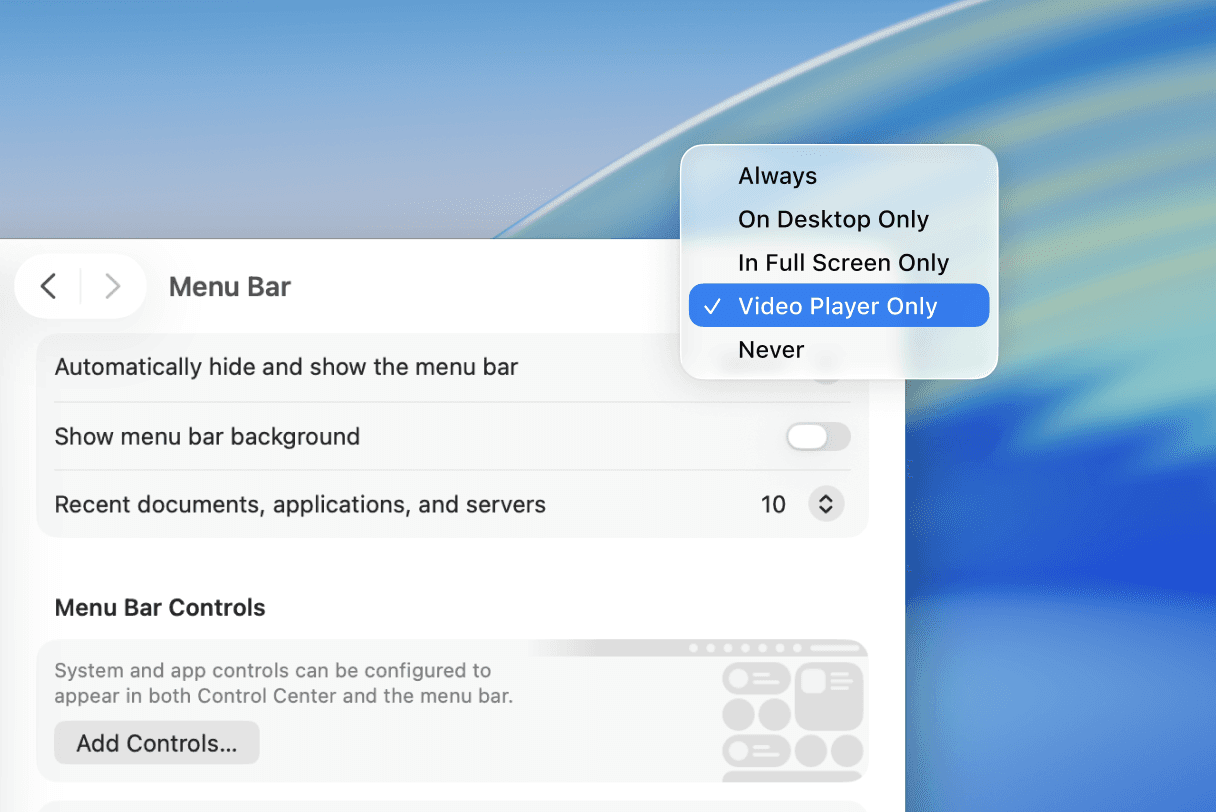
Always: Hides the menu bar all the time, whether you're on desktop or full-screen apps.
On Desktop Only: Hides the menu bar on desktop, shows the menu bar in full-screen apps.
In Full Screen Only: Hides the menu bar on full-screen apps, shows the menu bar on desktop.
Never: Always shows the menu bar, regardless of application or window size.
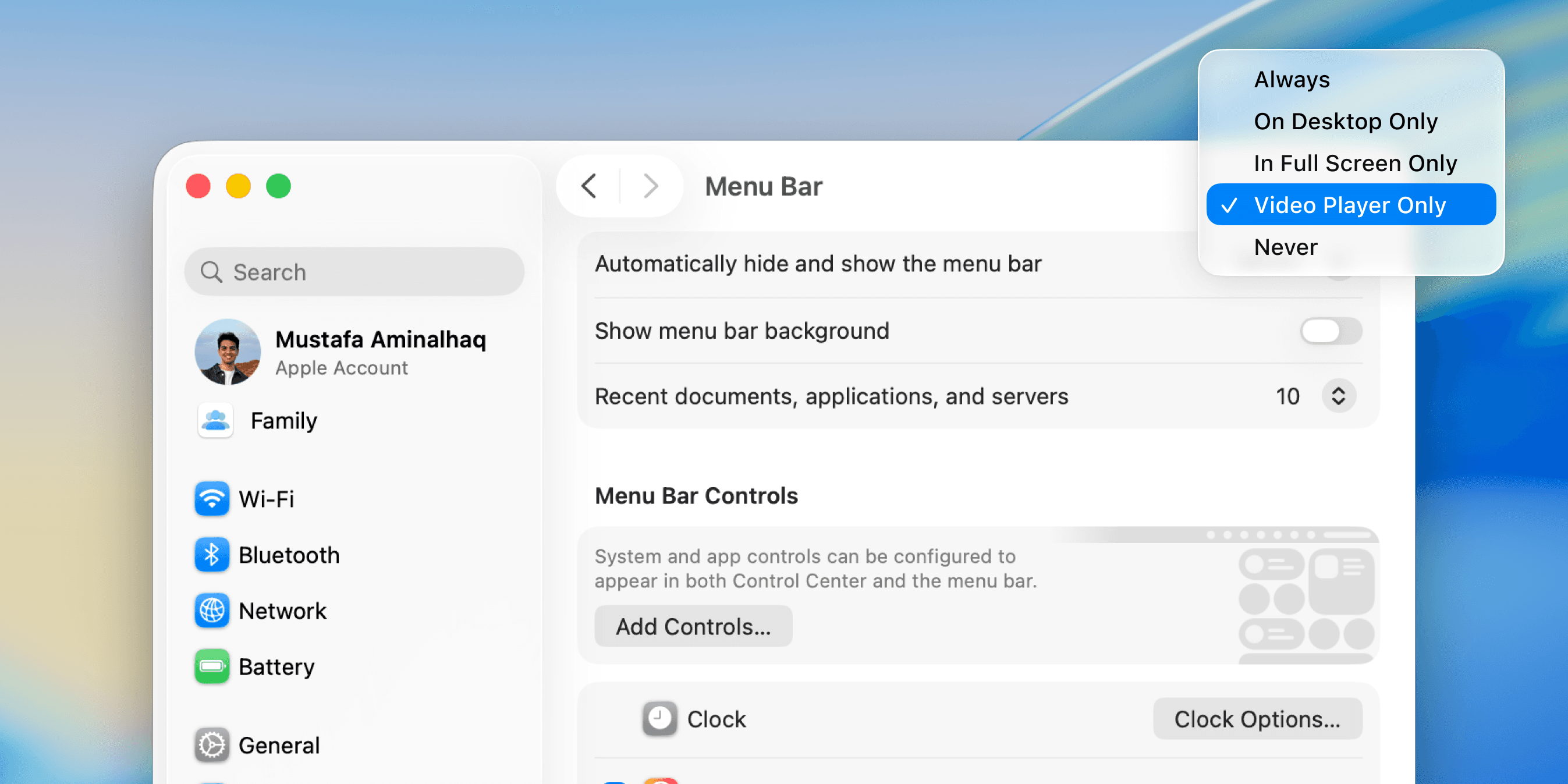
A proposed fifth option would be Video Player Only, where the menu bar shows only when the user is watching a video in full-screen.
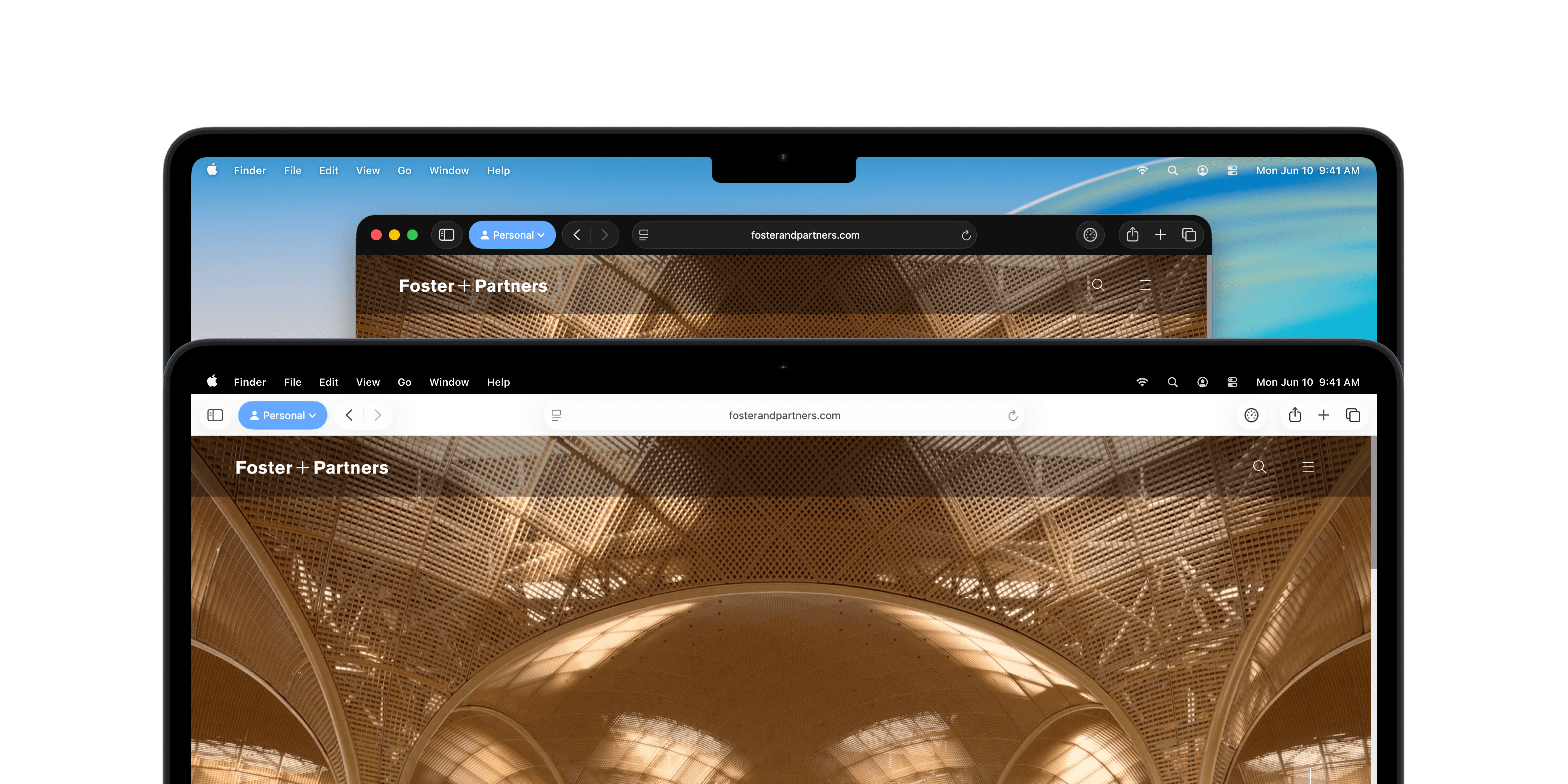
As seen below, when watching a movie or video, the user can focus on the actual content and not have to see the menu bar all the time. This results in a distraction-free experience that automatically adapts to the user's content. Those who prefer to have the menu bar never hide no longer have to go into settings every time to configure the "In Full Screen" or “Always“ option while watching a long movie.

Conclusion
Logistically, I'm sure Safari, Chrome, and other applications that handle full-screen content can relay an API to the system to let the OS know the user is in full-screen mode. Perhaps it could be as simple as an HTML or JavaScript element that encodes this kind of behavior.
In the end, I'm glad the notch on the MacBooks exists. It does provide helpful details and context to the application you're using without carving into the content or application. But it would be extra convenient to have a video player option to really optimize the way people consume content on their MacBooks.