Summary
The Settings application on many devices has hundreds, if not thousands, of features, and finding them can be quite hard. For many, these settings are hard to find, understand, and most folks forget they're even there. However, it would be great if tech-savvy users could directly send specific settings to friends and family over messages or email.
Most users don't care about settings
Most users don't care about their Settings app. It sounds too much like a complex hub of answers where, although well-organized, items are hard to find for people who don't know what to look for. People also worry about going into their settings due to the fear of accidentally turning something off, erasing a critical item, or tinkering with things they don't fully understand. So when the application is intimidating and most users don't have the time, patience, or understanding of what to look for, we need a solution that goes beyond just the ability to search.
The Family IT
For most of us who are in the tech industry, we often play around with the settings found on our phones or keep up with the new operating system releases. I often find myself reading about the details of how features work when they initially hit the beta cycle and up until they're released. In fact, sometimes I wish I knew the exact backend understanding of how some features worked so that I could optimize my device exactly how I'd like.
For myself, and many other tech-savvy folks, I find that when there's an issue with someone's device, I'm the go-to person. It often results in me writing out a path (Settings > Wi-Fi > Set to "Off") or guiding the person on a FaceTime call to get things sorted out—even though FaceTime now lets you control the user's device and rather than walk someone through steps.
Introducing Send a Setting
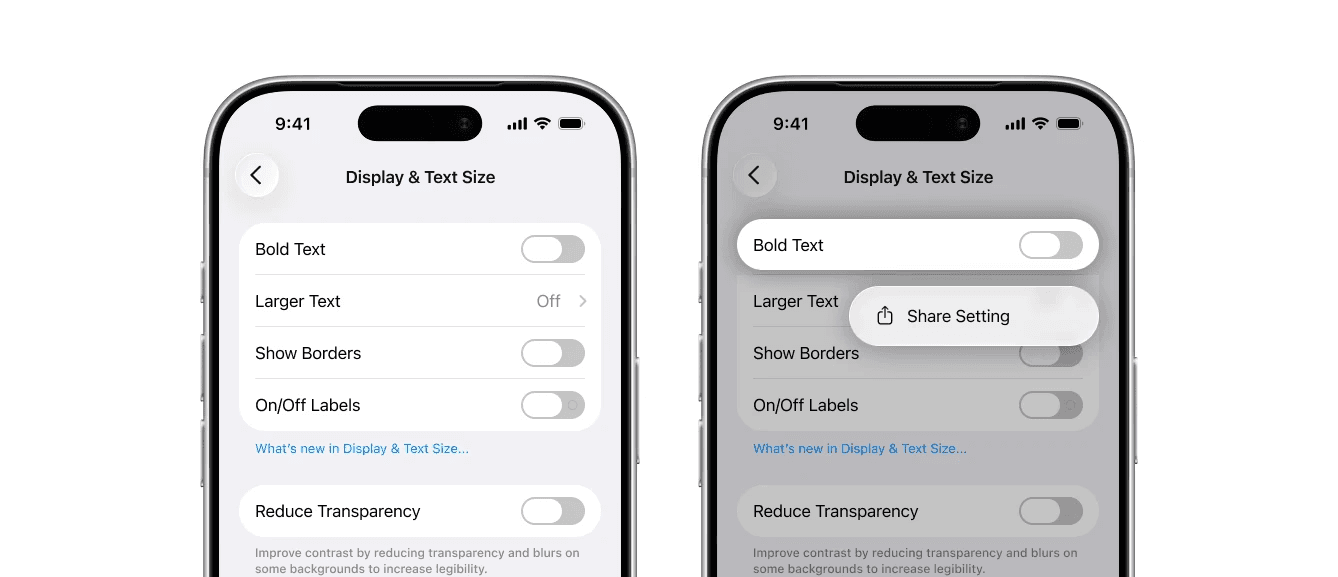
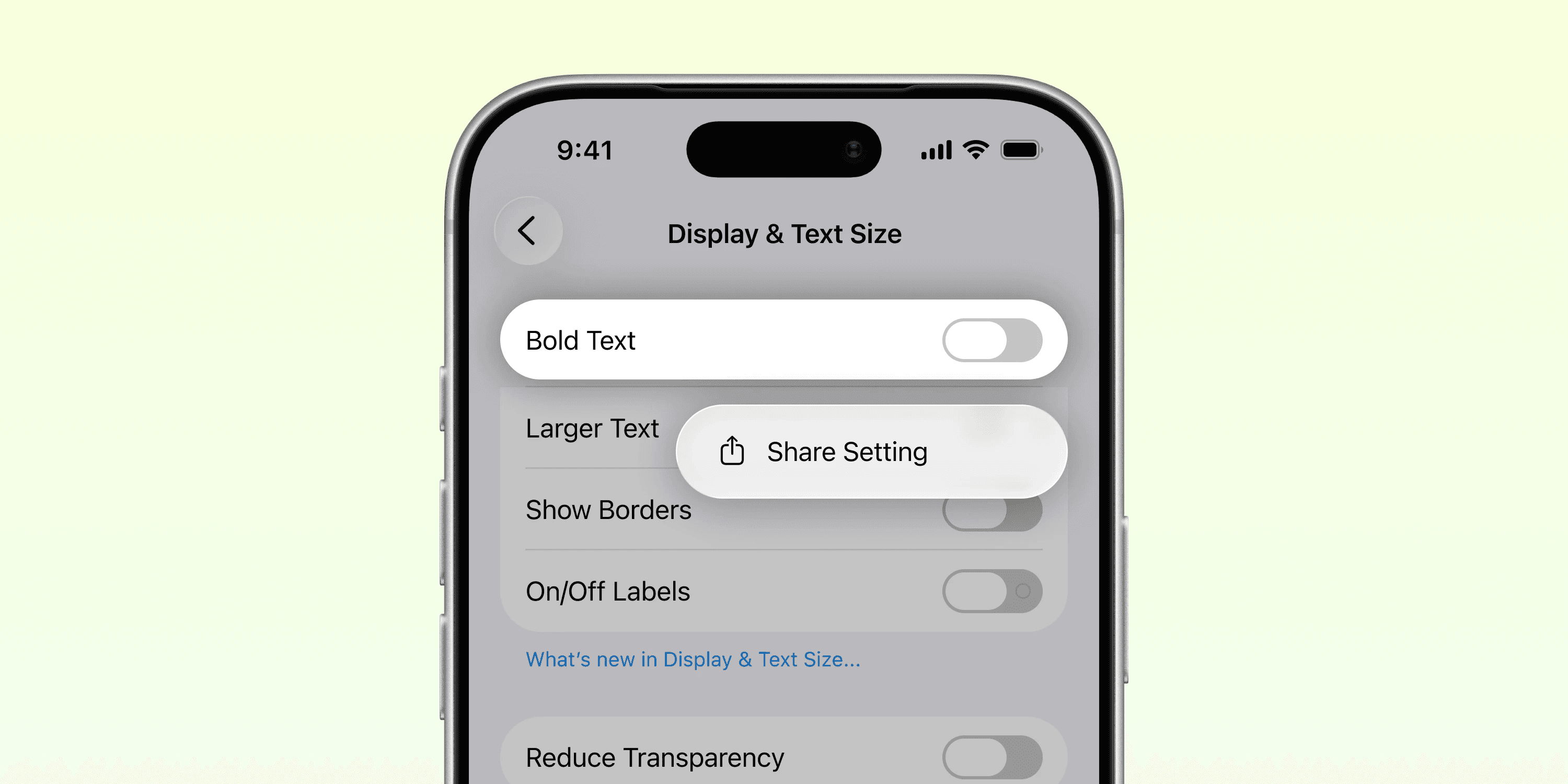
iOS could introduce a feature where a user can share a specific setting from their phone and send it to another person looking for assistance on theirs. Imagine helping a friend or family member navigate to a specific setting just by holding down the setting on your device, selecting Share, and sending the link to them via iMessage or email. They open it up on their end and get taken directly to the Settings app, all on their own device. No more writing it out, meeting up, or walking them step-by-step on a call.
Constraints
An important thing to understand here is that the end user has control of their device. They are not compromising their security or handing their phone to someone else. They would feel in control of their settings, which would help foster trust in their device, too. To prevent bad players from playing this game, the feature could go a step further to verify that a setting sent to them is from a known contact.
Additionally, there would be settings that can't be shared, such as specific Wi-Fi, passcode, and Apple ID settings, and sensitive items that could disrupt the device's behavior (ringtones, notifications, privacy, and security settings).
Conclusion
Overall, this feature would help a lot of users in their understanding of their device and settings and would help them tailor and customize their device exactly to how they use it. Conversations around technology would no longer have to wait until a FaceTime call or in-person debugging, giving time back to focus on conversations that matter. And for the IT person in their life, it would be so much easier to just send a setting.